
Players often search for a Mad casino app to download, so it is worth being direct: there is no native app for iOS or Android. Instead the casino runs as a responsive, HTML5-based mobile site that loads automatically when you open it on a phone or tablet. In practice that covers everything an app would - the full lobby, the cashier, promotions and support all work in the browser, with no download, no app-store approval and no manual updates to manage.
This guide explains how to reach Mad casino on mobile, how to pin it to your home screen so it opens like an app, what works on the small screen and how it performed during our testing.
| Feature | Mobile browser details |
|---|---|
| Download required | No - runs entirely in the browser |
| iOS access | Safari, Chrome or Firefox - full support |
| Android access | Chrome, Firefox or any modern browser |
| Home-screen shortcut | Available on both iOS and Android |
| Game catalogue | Full slot and live library - identical to desktop |
| EUR deposits and withdrawals | Full cashier available on mobile |
| Bonus access | 777% welcome package and all promotions accessible |
| Live casino | Streamed tables run in the mobile browser |
| Support | 24/7 live chat and email |
| Security | SSL encryption - same as desktop |
| Updates | Automatic - nothing to install or patch |
Is there a Mad casino app for Android or iOS?
No. There is no native application to download from the App Store or Google Play. This is a deliberate design choice rather than a gap - the browser version delivers the same catalogue and cashier without asking players to install anything. It also sidesteps two common problems with casino apps: store restrictions in some regions, and the need to push manual updates. Because the site is served fresh each visit, you always load the current version.
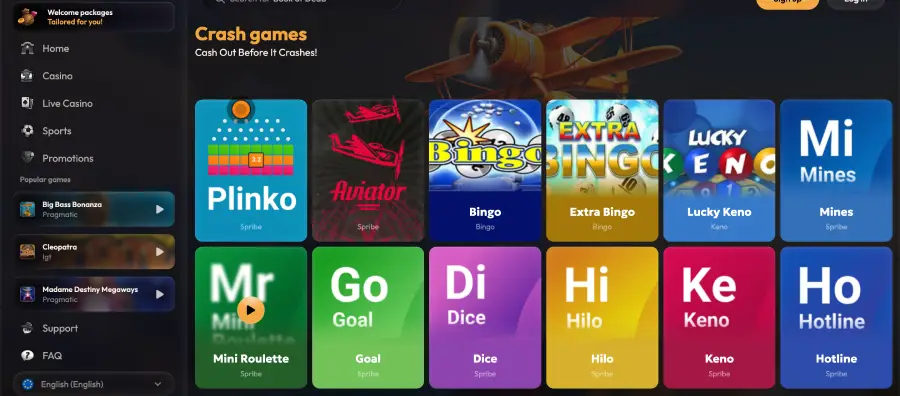
How to access Mad casino on mobile
- Open your mobile browser - Safari on iOS, Chrome on Android, or another modern browser.
- Go to the official Mad casino website.
- The mobile layout loads automatically, scaled to your screen.
- Log in with your email and password, or register if you are new.
- Browse the lobby, deposit in euros and play directly in the browser.
How to add Mad casino to your home screen
A home-screen shortcut makes the mobile site open in one tap, so it behaves like an installed app without being one.
iOS instructions (Safari)
- Open the Mad casino website in Safari on your iPhone or iPad.
- Tap the Share icon at the bottom of the screen (the square with an arrow pointing up).
- Scroll the share sheet and tap Add to Home Screen.
- Confirm the name and tap Add.
- The icon appears on your home screen and opens the casino directly.
Android instructions (Chrome)
- Open the Mad casino website in Chrome on your Android device.
- Tap the three-dot menu in the top-right corner.
- Select Add to Home screen.
- Confirm the name and tap Add.
- The shortcut lands on your home screen for one-tap access.
Features available on mobile
- Games: the full slot library and live dealer tables.
- Cashier: euro deposits and withdrawals via cards, e-wallets and crypto.
- Bonuses: the 777% welcome package, reloads and cashback.
- Account: login, verification and profile management.
- Support: 24/7 live chat and email.
Performance on mobile
During our testing the mobile version held up well as long as the browser was current:
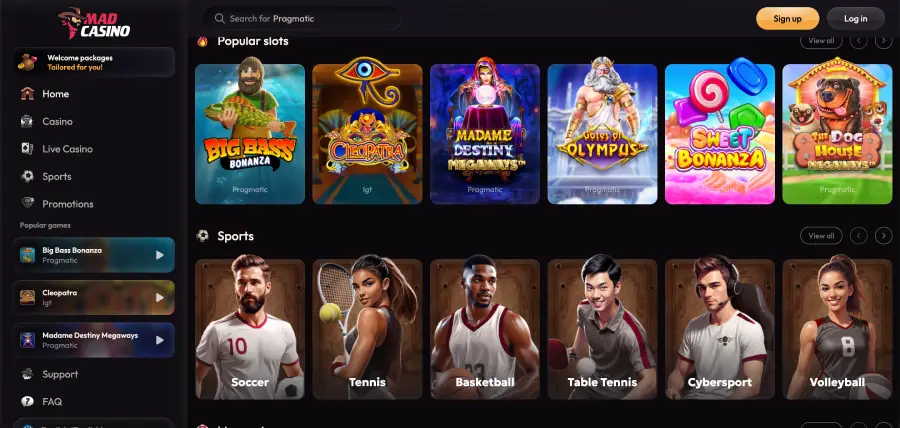
- Lobby loading: the homepage rendered within a couple of seconds on a standard mobile connection.
- Slot performance: Pragmatic Play titles opened in under three seconds with steady frame rates.
- Live casino stability: streamed tables stayed stable across a short session without forced reloads.
- Cashier speed: the euro deposit section loaded promptly and accepted method selection without issues.
Security on the mobile version
The mobile site uses the same SSL encryption as desktop, and two-factor authentication carries over to browser sign-ins. Because there is no downloaded package, there is also nothing to keep patched - the security layer is applied server-side and served on every visit.
Usage tips for mobile players
- Keep your browser updated - stability depends on a current version.
- Allow cookies so your session persists after login.
- Turn off aggressive data-saving modes, which can block game scripts.
- Use the home-screen shortcut to skip typing the address each time.
- Complete KYC early so a mobile withdrawal is not held up later.
FAQ about Mad casino app
Is there a Mad casino app for iOS or Android?
No. There is no native app. The casino runs as a responsive mobile site in any modern browser.
Can I play all games on mobile?
Yes. The full slot library and live dealer tables run in the mobile browser, identical to desktop.
How do I make Mad casino work like an app?
Add a home-screen shortcut - via the Share menu in Safari on iOS, or the three-dot menu in Chrome on Android - and it opens in one tap.
Can I deposit and withdraw on mobile?
Yes. The full euro cashier, including cards, e-wallets and crypto, is available in the mobile browser.
Do I need to update the mobile version?
No. There is nothing to install, so updates are automatic - you always load the current site.
Is the mobile version secure?
Yes. It uses the same SSL encryption as desktop, and two-factor authentication applies to mobile logins as well.
